Add a contact
From the contact list, select New contact to open the New contact page. The form is grouped into sections so you can capture as much or as little as you need. Fields marked with an asterisk are required.
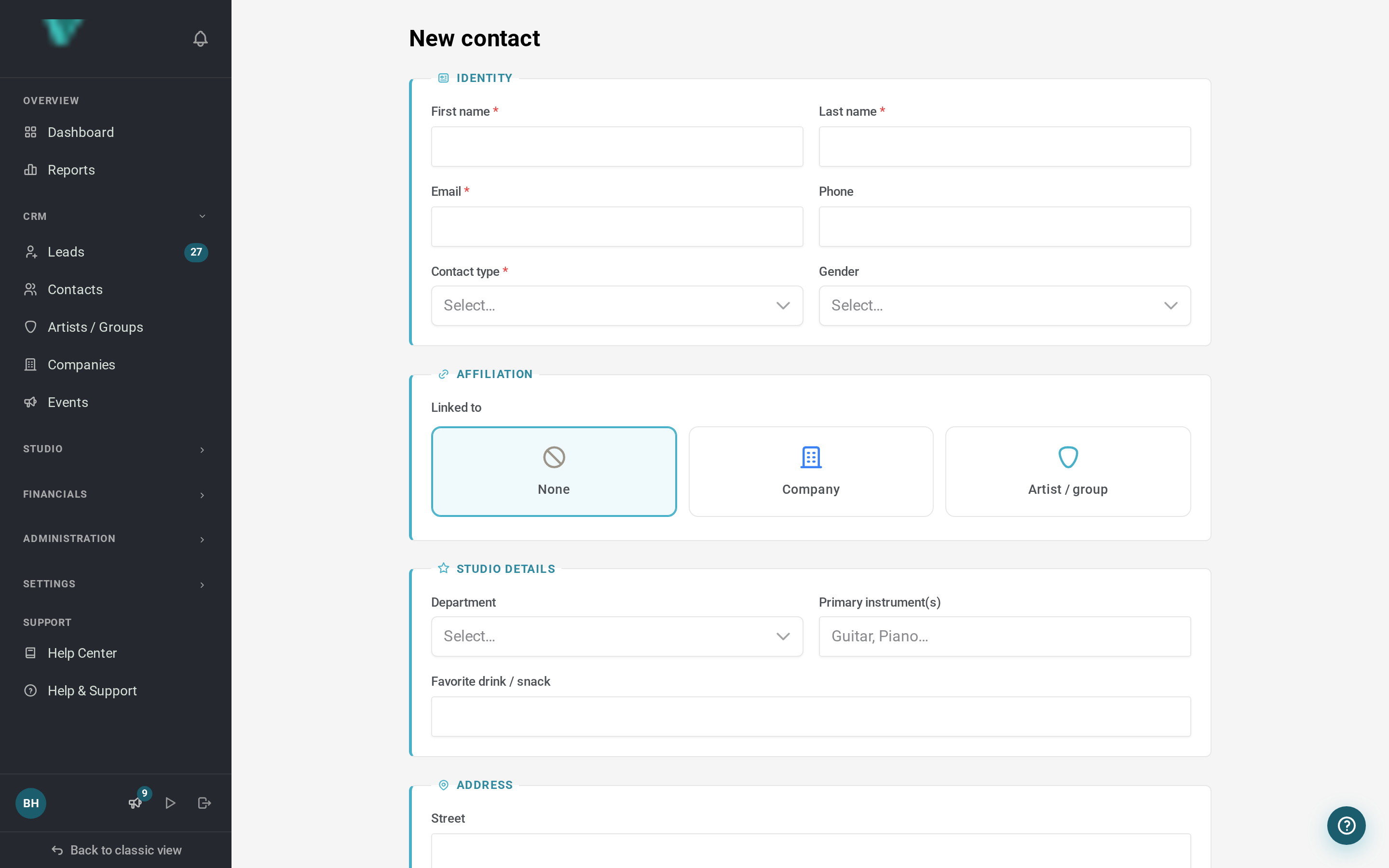
Identity
- First name (required)
- Last name (required)
- Email (required)
- Phone
- Contact type (required). Choose what this person is to you, such as Musician, Producer, or Manager.
- Gender. Choose Male, Female, Non binary, or Prefer not to say.
Affiliation
Under Linked to, choose whether this contact stands alone or belongs to a company or an act:
- None keeps the contact unlinked.
- Company reveals a picker to attach the contact to an existing company.
- Artist / group reveals a picker to attach the contact to an existing artist or group.
Studio details
- Department
- Primary instrument(s)
- Favorite drink / snack
Address
Street, City, State / region, Zip / postal, and Country.
Notes
Use the Notes box for anything worth remembering about the contact, such as details from a conversation.
Save
Select Create contact to save. The new contact appears in the contact list right away. Select Cancel to leave without saving.