Marketing events let you record where your marketing budget goes and what it returns. Once an event exists, you can pick it as a referral source when a lead comes in, then track spend against quotes, invoices, and payments in the Event ROI report.
Open the events list
In the sidebar, go to CRM, then Events. This opens the events list at Marketing, Events. Click New event in the top right to start a new one.
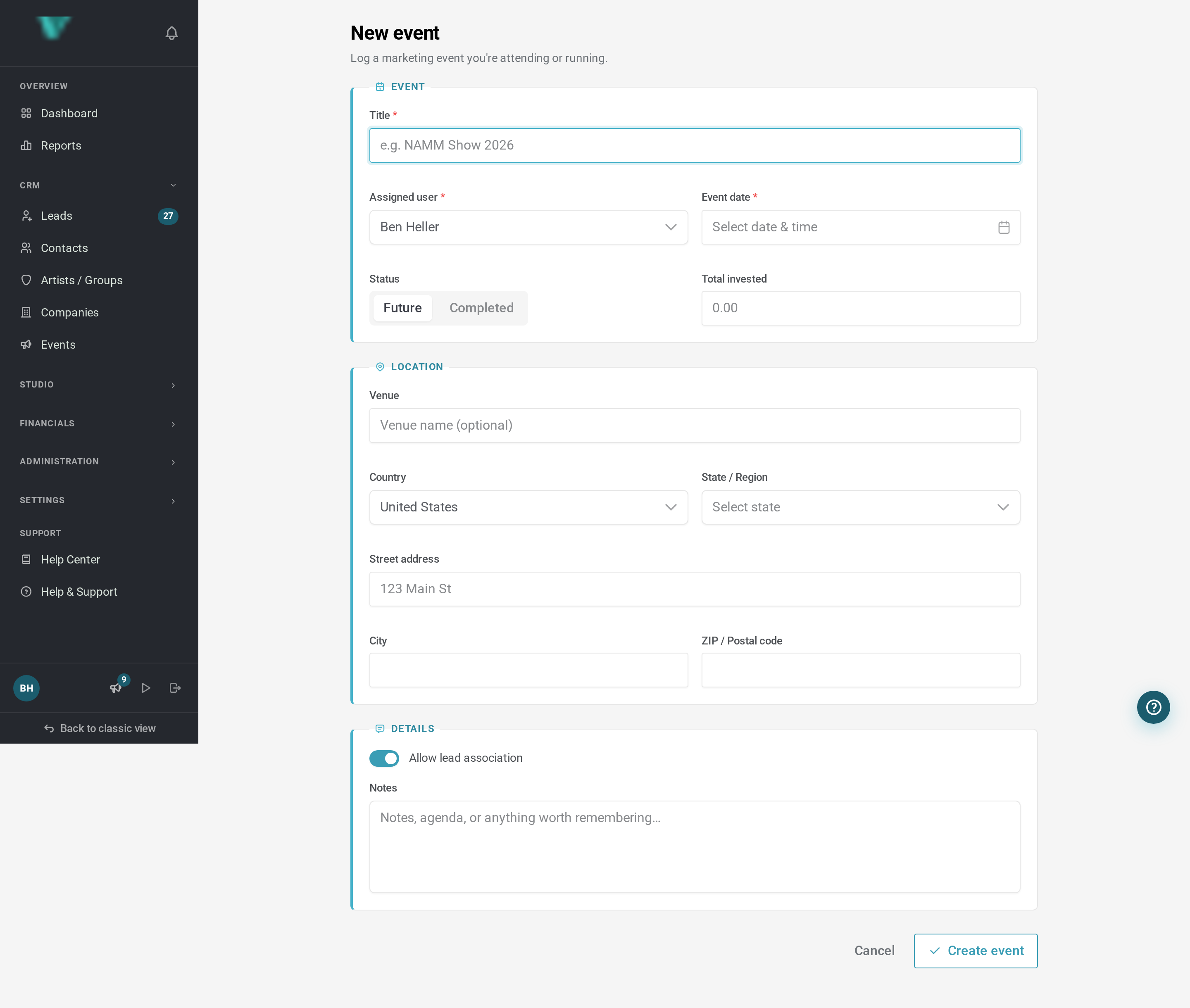
Fill in the event details
The create form is grouped into three sections.
Event
- Title (required). A name for the event, for example "NAMM Show 2026".
- Assigned user (required). The teammate who owns the event. Your own name is selected by default.
- Event date (required). Pick the date and time from the date picker.
- Status. Toggle between Future and Completed. Leave it on Future for an event that has not happened yet. Only future events are available as a lead referral source.
- Total invested. The amount you spent on the event. This feeds the return on investment calculation.
Location
Every field here is optional.
- Venue. The name of the place hosting the event.
- Country. Defaults to United States.
- State / Region. The list loads once you pick a country.
- Street address, City, and ZIP / Postal code.
Details
- Allow lead association. Keep this on so the event can be chosen as a referral source when you create a lead. It is on by default.
- Notes. Any agenda, reminders, or context worth keeping.
Save the event
Click Create event. The event is saved and appears in the events list, where you can search, filter by status, owner, or date, and edit it later.
To make changes afterward, open the event from the list, adjust any field, and click Save changes. From the list you can also mark an event complete or future, or delete it, using the action buttons on each row.