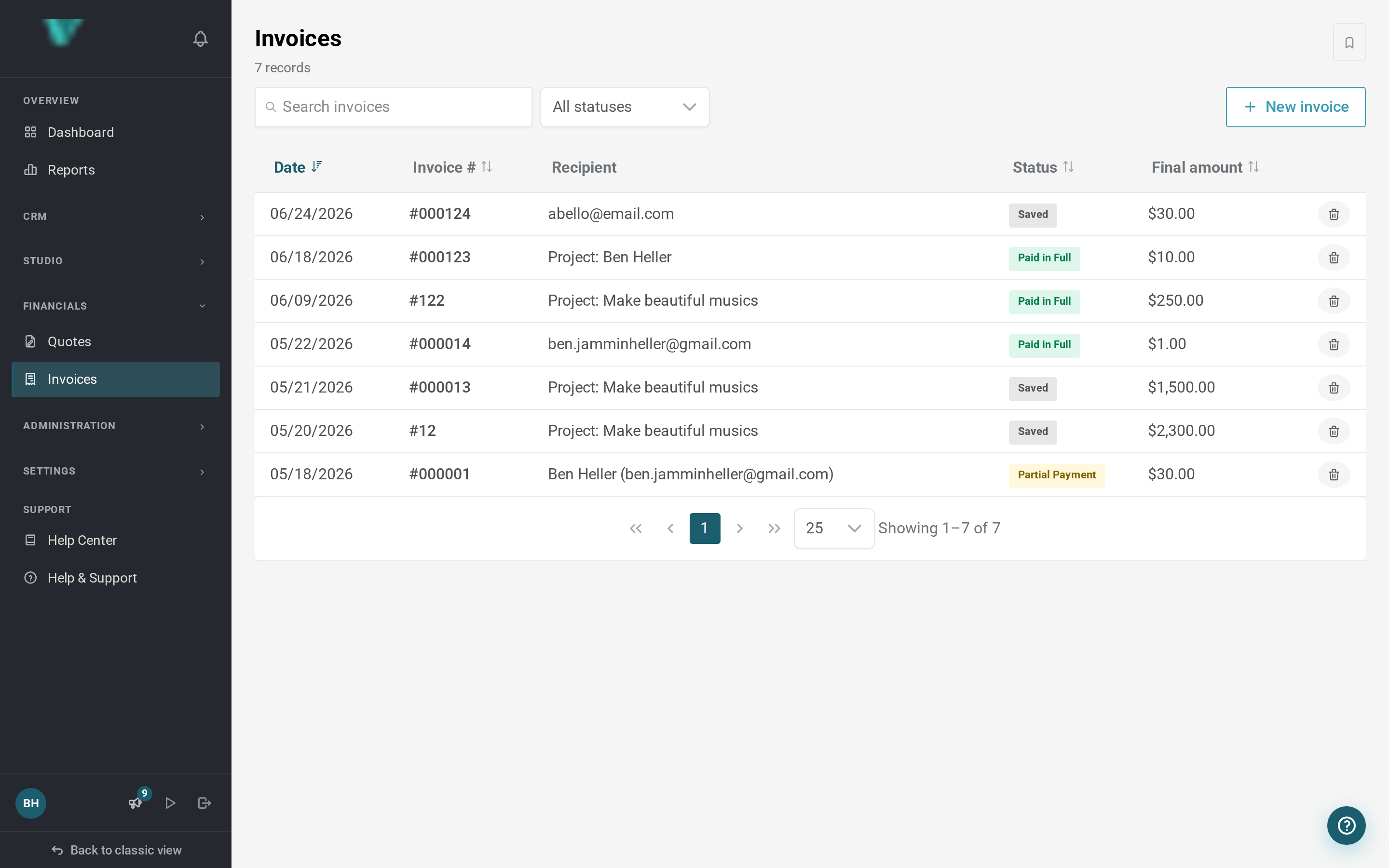
Open Financials, Invoices in the main menu to see every invoice in your studio. Each row shows the invoice date, invoice number, recipient, status, and final amount. From here you can create a new invoice, search and filter the list, and open any invoice to view or manage it.
Open an invoice
Click anywhere on a row, or click the blue invoice number, to open that invoice. The detail page opens where you can view and manage the invoice.
Create a new invoice
Click the New invoice button at the top of the list. This opens the invoice creation page, where you fill in the details and line items. See Creating invoices for the full walkthrough.
Search the list
Type in the search field at the top of the list to find invoices. The list updates as you type. Clear the field to return to the full list.
Filter by status
Use the status dropdown above the table to narrow the list to a single status, or choose All statuses to show everything. The available statuses are:
- Draft: created and saved, not yet sent to a recipient.
- Saved: saved for later.
- Sent, Unpaid: sent to the recipient, no payment received yet.
- Partial Payment: sent and partly paid.
- Paid in Full: sent and fully paid.
- Accepted
- Rejected
- Uncollectable
Each row shows its status as a colored tag in the Status column.
Save your default filters
To keep your current status filter the next time you open this screen, click the bookmark button at the top right (Save current filters as your default).
Sort the list
Click the Date, Invoice #, Status, or Final amount column header to sort by that column. Click the same header again to reverse the order.
Move between pages
When you have more invoices than fit on one page, use the page controls at the bottom of the list to move between pages. The rows per page selector lets you show 10, 25, 50, or 100 invoices at a time.
Understand the amount column
The Final amount column shows the invoice total. If a custom final amount has been set, the original total appears with a line through it next to the adjusted amount.
Delete an invoice
If you have permission to delete invoices, a trash button appears at the end of each row. Click it and confirm to delete the invoice. Any payments recorded on the invoice are deleted with it, and this cannot be undone.